KaiVCO · Clip organizer for VALORANT
Find any clip without renaming a single file.
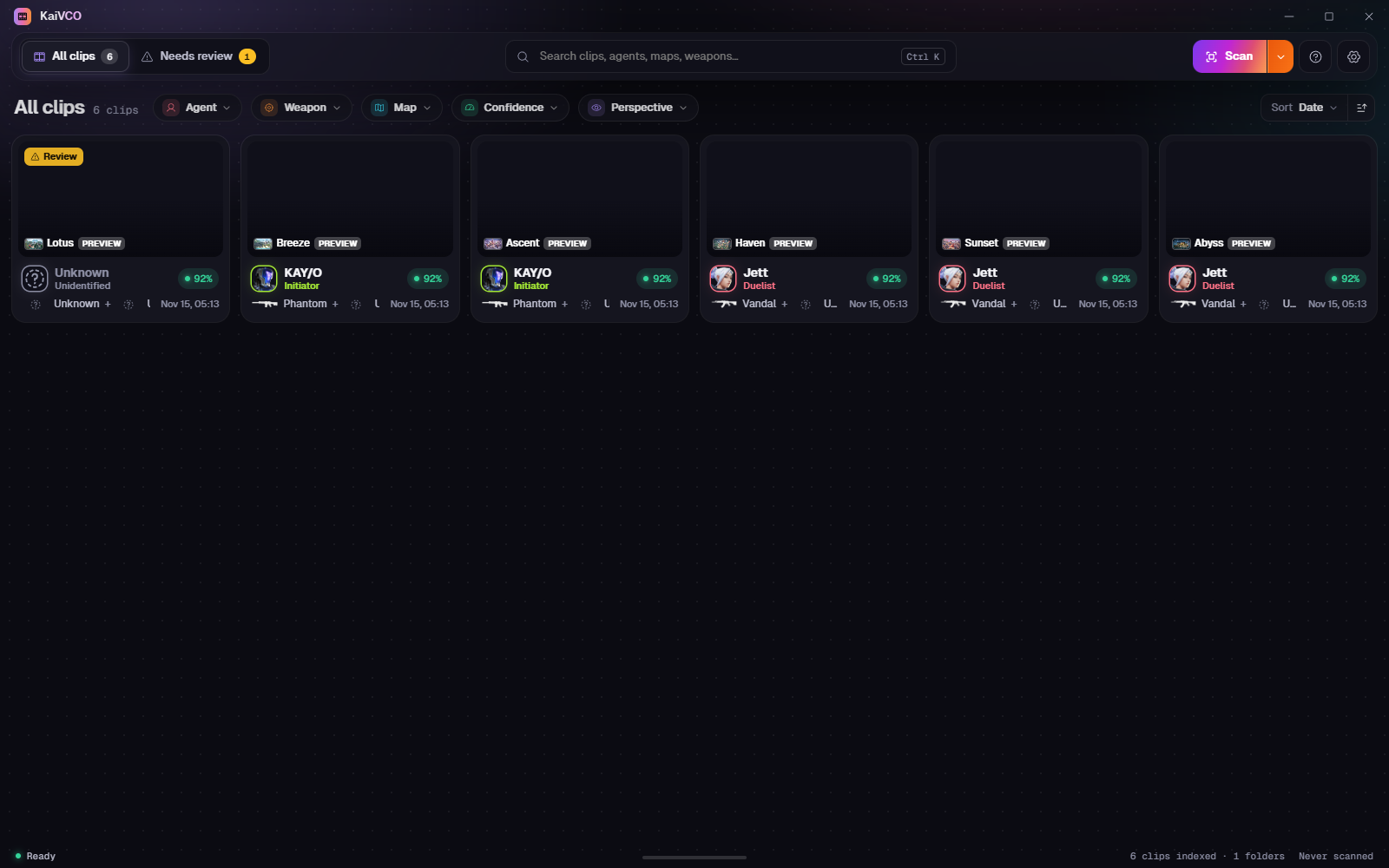
KaiVCO reads the in-game HUD of each saved clip to label who you played and what you used.
Coming soon Read the guide
Free · Works offline
How it works
01
Add your clip folders
Point the app at wherever your recorder saves clips. Subfolders are included, external drives are remembered, and your files are never moved, renamed or changed.
02
Scan reads the HUD
A few frames from each clip are matched against the Reference Library: the agent portrait and weapon silhouettes.
03
Review what it wasn’t sure about
Low-confidence or unreadable clips go to Needs review. Change a label or confirm it; every correction is learned and improves the next scan.
04
Filter, find and play
Combine agent, weapon, map, confidence and perspective filters, then play a clip or show it in its folder.
Your clips stay exactly where they are.
Nothing is uploaded Labels live in a local database next to the app, and nothing leaves your PC.
Works fully offline No account and no connection needed. New versions are published on the download page.
Only new files are rescanned After the first scan, only new or changed clips are read again.
Ready when you are.
Coming soonKaiVCO is free. If it’s useful to you, a donation helps keep it going.